Plugin inside ChatGPT
Find cheap flights in 4 simple steps
Install the plugin inside ChatGPT on web, mobile, or desktop, then ask ChatGPT to compare flight options for your trip.
Open the plugin in ChatGPT1
Open the plugin in ChatGPT
Open the Trip.com plugin page.
2
Install the plugin inside ChatGPT
Click Install and complete any step shown inside ChatGPT.
If you cannot see Plugins or Install, update ChatGPT and try the web version. Access may depend on your account, plan, region, or workspace settings.
3
Start a new chat and type @Trip.com
Type @Trip.com in the message field and select Trip.com from the list. This connects the plugin to your request.
Make sure @Trip.com appears as a selected plugin mention before sending the message.
4
Send your request
Start with a simple request:
@Trip.com Find the cheapest flights from [ORIGIN] to [DESTINATION] between [START DATE] and [END DATE]. My dates are flexible by 3 days. Show the 5 cheapest options with the total price, stops, travel time, baggage, and links to the options.Do not forget to replace every highlighted field with your own details.
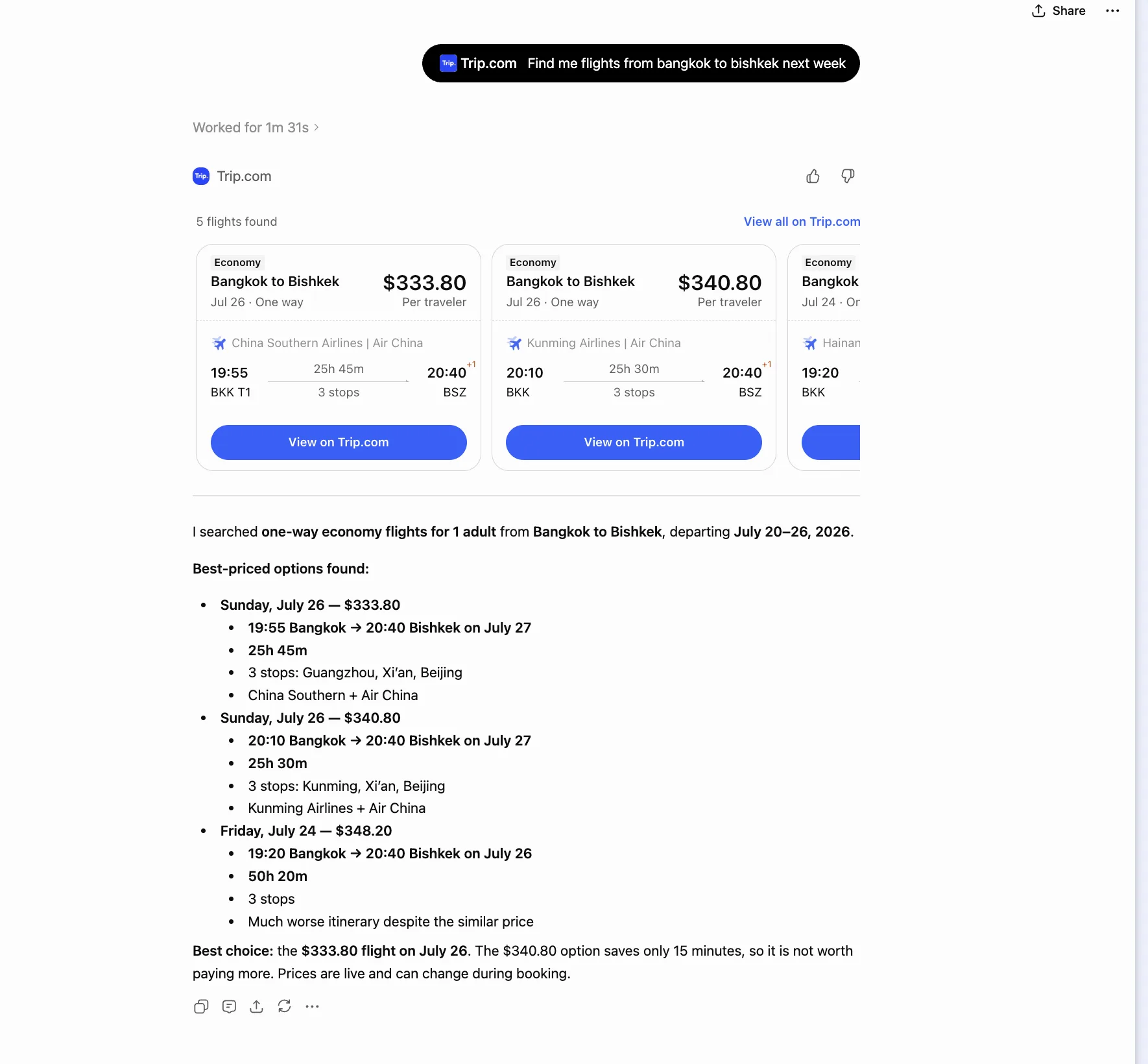
Copy, edit, send
Useful prompts
Every prompt starts with @Trip.com. Select the plugin mention and replace every highlighted field with your own details before sending.
@Trip.com I can fly from [CITY] at any time in [YEAR]. Find the 5 cheapest return trips to any country. I want to stay for 5–10 days and spend no more than [BUDGET]. Show the best dates, total price, stops, travel time, baggage, and links to the options.@Trip.com I am in [CITY, COUNTRY] and have [USD 100] for flights. I can travel at any time between [START DATE] and [END DATE] and stay for up to 3 months. Find the two countries I can fly to cheapest. Check nearby airports and compare one-way and return tickets.@Trip.com Find the cheapest return dates from [ORIGIN] to [DESTINATION] between [START DATE] and [END DATE]. I want to stay for [7–14 DAYS]. Show the 5 cheapest date combinations and recommend the best value.@Trip.com Find the cheapest weekend trips from [ORIGIN] during [MONTH]. I can leave after [TIME] on Friday and must return before [TIME] on Monday. Show 5 destinations and exclude trips that give me less than 36 hours there.@Trip.com Find flights from [ORIGIN] to [DESTINATION] between [DATES] with a 12–48 hour stopover in a city I can visit. Show the stopover city, total price, travel time, baggage, and whether I need to change airports or collect my bags.@Trip.com Find return flights from [ORIGIN] to [DESTINATION] between [DATES] for [NUMBER] traveller(s). We need [BAGGAGE]. Rank the results by the total price after baggage, not the basic fare. Mark anything that must be checked during booking.@Trip.com Find the cheapest international flights from [ORIGIN] in the next [30 DAYS]. My dates and destination are flexible. My maximum budget is [AMOUNT]. Show the 5 cheapest realistic options with dates, total price, stops, baggage, and links to the options.Make the results better
Send a short follow-up
- “Show only flights with no more than one stop.”
- “Check dates seven days earlier and later.”
- “Include one checked bag in the total price.”
- “Remove self-transfers and airport changes.”
- “Compare nearby departure airports.”
Thanks for reading
More practical AI ideas on Instagram
Follow me for useful Stories about using AI in everyday life.
 Follow @yuva_kh